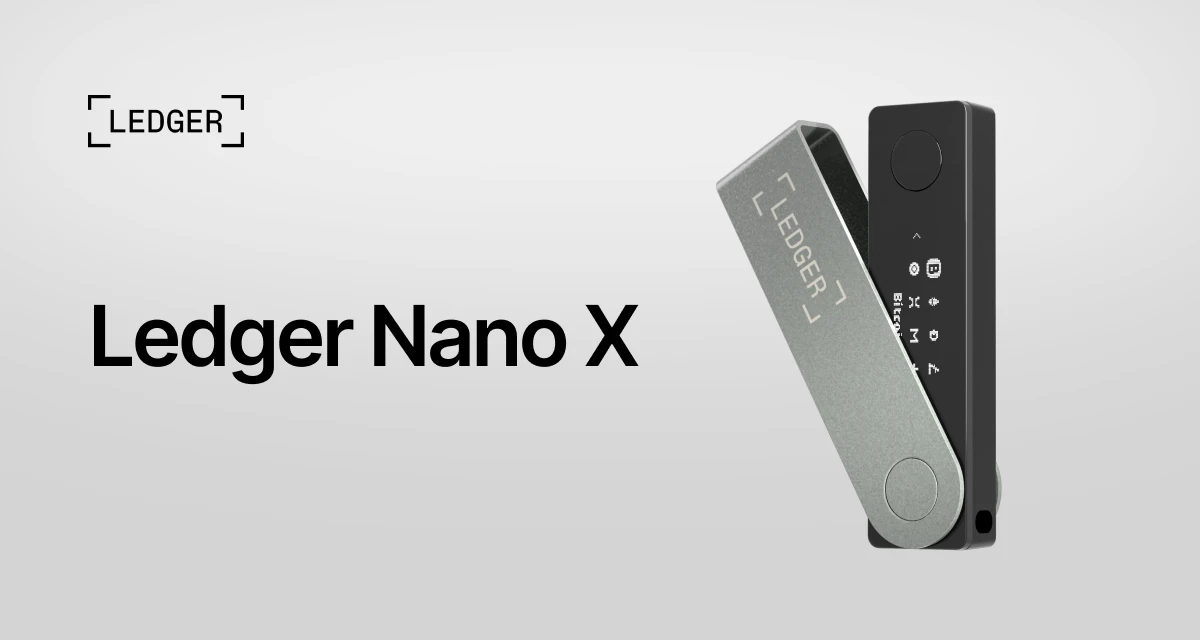
A hardware wallet is a small purchase with a large responsibility attached to it. The Ledger Nano X is often considered because it is compact, works with phones as well as computers, and supports a wide range of assets. Those are useful traits. They are not the reason to buy one. The real question is whether its way of working fits the care you are willing to give your recovery phrase, device prompts, and transaction checks.
What the Ledger Nano X is for
The Nano X is a hardware wallet. In simple terms, it is a device designed to keep the private keys that control your wallet offline while you review and approve actions on the device itself. Ledger describes its supported-asset ecosystem as covering thousands of coins and tokens, with some assets accessed through third-party wallet connections. That breadth is helpful for a person who does not want to buy a separate device every time their interests change. It also means the device is not a promise that every asset works in exactly the same way, so it is worth checking the asset and app support before moving anything important.
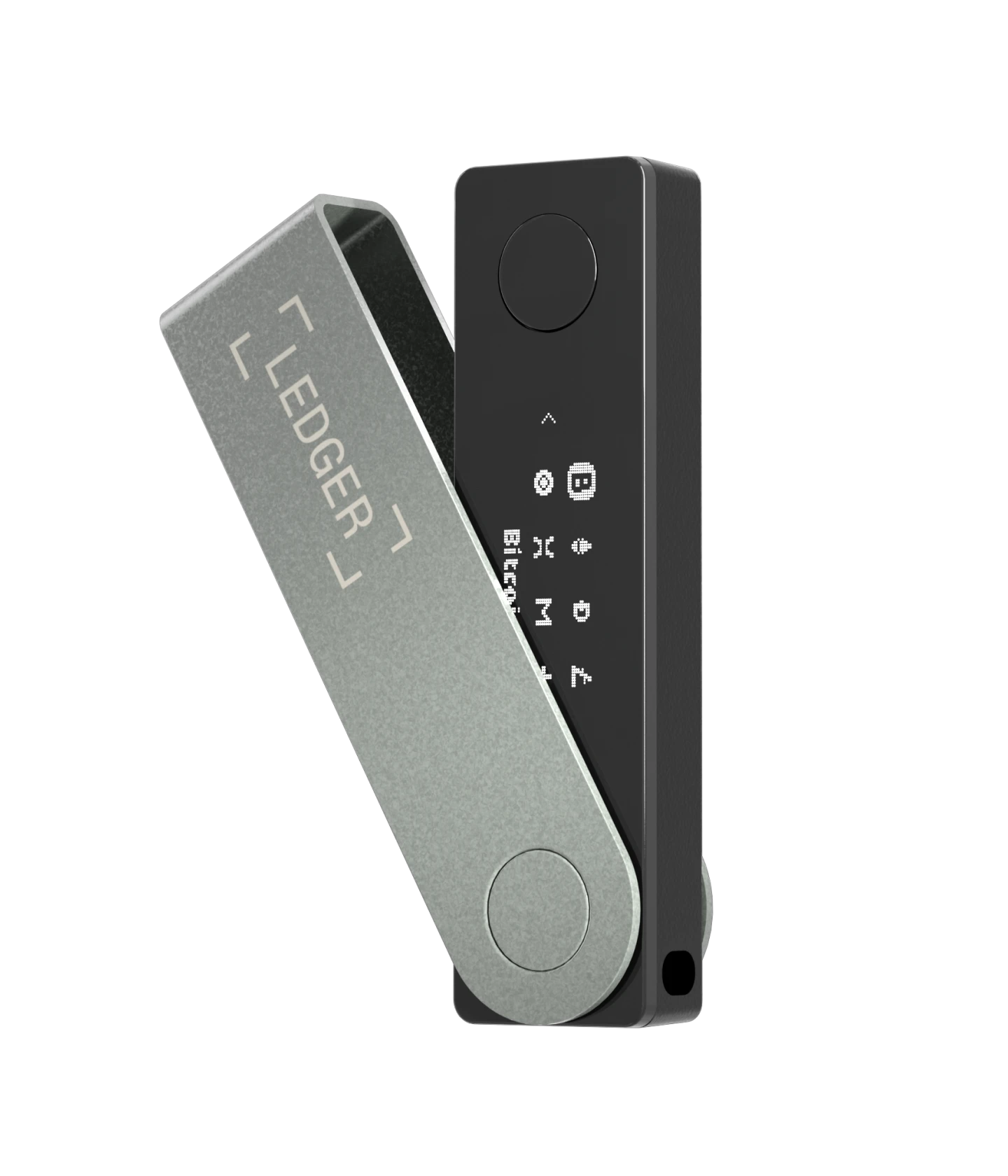
The product’s official specifications list Bluetooth Low Energy 5.2, USB-C, a Secure Element chip, an OLED screen, and support for recent iOS and Android devices. The phone connection is the feature that separates the Nano X from many basic wired-only choices. It can make checking balances or using a compatible mobile wallet more convenient while traveling. Convenience is valuable, but it should never make the confirmation screen feel optional. The last screen you approve is the one that matters.
Who this pick suits
This is a better fit for someone who already understands the difference between an exchange account and a self-custody wallet, or is prepared to learn it slowly. It suits a person who wants a physical confirmation step before sending assets, who prefers having a portable device, and who expects to use more than one asset over time. It can also suit a careful buyer who wants a dedicated device rather than relying only on a browser extension or phone app.
It is not a good fit for someone looking for a hands-off investment product, a guaranteed way to make money, or a device that can recover a lost recovery phrase. It will not make rushed decisions safe. It will not tell you whether a token, app, or website deserves trust. If you are unfamiliar with wallet approvals, start with a small amount and use the official setup guidance before treating the wallet as the home for a significant balance.
BCSLTLLC keeps the Crypto & Web3 shortlist intentionally compact for this reason. A hardware wallet is not just another gadget. The right pick depends on your comfort with the routine that comes with it.
The good reasons to consider it
Useful portability
Bluetooth can make mobile use less awkward than carrying a cable. For someone who checks a wallet from a phone, that is a real quality-of-life advantage.
Broad compatibility
Support for many assets and third-party wallet connections gives the device room to stay useful as your needs change. Confirm your exact asset before purchase.
Physical confirmation
Approving a transaction on the hardware wallet creates a pause between seeing a request online and letting it go through. That pause is a feature, not friction.
Ledger says the Nano X is built around a certified Secure Element. That is a relevant security design choice, but it should be understood as one layer in a larger process. A secure chip cannot protect a recovery phrase photographed for convenience, a transaction sent to the wrong address, or a person who gives a code to a fake support account.
The tradeoffs to take seriously
The Nano X is small, which is excellent for a desk drawer or travel pouch, but its limited screen is not ideal for skimming. That is exactly why a buyer needs to slow down. Verify the destination address, amount, and action on the hardware device. If the device display does not match what you intended, reject the request. Convenience does not replace attention.
Bluetooth may be useful, but it also introduces one more choice to understand. A buyer who wants the simplest possible routine may prefer to use a USB-C connection when practical. There is no prize for using every available feature. Choose the workflow you will follow carefully every time. Ledger’s compatibility notes also matter: the device has phone and computer requirements, and its official product page says Chromebook is not supported. Check your actual devices before the box arrives.
How it fits into a real routine
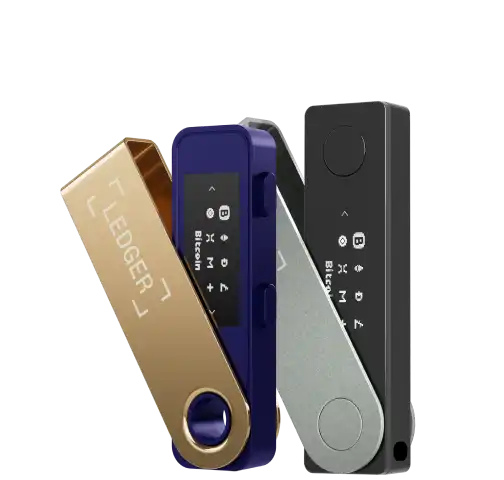
The easiest way to judge this device is to picture the moments when you would actually reach for it. If you buy and hold a few assets for a long time, the Nano X can sit safely stored until you need to receive, send, or review something. If you regularly use a phone, its Bluetooth capability can make a mobile check less cumbersome. If you move between a laptop and phone, USB-C and mobile connectivity offer flexibility. These are practical qualities, not reasons to transact more often.
Some people imagine a hardware wallet as a vault that should be opened daily. That is not necessary. A more grounded routine is to use it when you have a clear reason, then put it away. Keep your device separate from your recovery phrase. Keep both in places that make sense for your household and risk level. Think through what happens if a visitor sees your desk, if a bag goes missing, or if you need someone you trust to know that an offline backup exists without giving them the words themselves.
A hardware wallet can also help make a useful distinction between checking a balance and authorizing an action. Checking a balance can happen often. Authorizing a transfer or app connection should feel different. The extra device step gives you a moment to ask: Is this the address I intended? Is this the network I meant to use? Is this website asking for something reasonable? The right answer is sometimes to close the tab and come back later.
Understanding the display and confirmations
Ledger lists a 128 by 64 pixel monochrome OLED display for the Nano X. That is compact by design. It is enough to show the information you need to approve or reject an action, but it is not a large touchscreen built for long reading. A buyer who values a very large display may want to compare other wallet formats. A buyer who values a pocketable device may see the smaller screen as a fair trade.
Do not treat the display like a decorative detail. It is part of the decision process. When you send assets, the device is there to show what you are about to approve outside the browser or app window. Read it. A character changed in a destination address can matter. A transaction that looks routine on a computer can still be wrong. If the hardware device shows something that surprises you, stop there. You can always start over. You cannot always reverse a completed transfer.
Ledger’s current Nano X product information describes the device as requiring approval from its owner for transactions. That is the value of a hardware confirmation screen, but only if it becomes a habit. The device is most useful when it interrupts autopilot.
Asset support is broad, but the details still matter
“Supports thousands of assets” is a helpful starting point, not a complete answer. An asset may work through the Ledger Wallet app, a third-party wallet, a specific network, or a particular app version. The same name can exist across different networks. An asset may be technically supported while the exact workflow you want still has limits. Before moving funds, look up the asset in Ledger’s supported crypto list and read the specific instructions for the wallet or network you plan to use.
This is especially important for a person whose crypto is currently on an exchange. Receiving assets from an exchange may involve choosing a network, generating a receiving address, and confirming that both sides use the same network. The safest first transfer is usually small enough to be a test. Wait for it to arrive. Confirm that it appears where you expected. Only then decide whether a larger transfer makes sense. A few minutes of patience is cheaper than trying to solve a mismatch after the fact.
Broad support also does not mean every app or token deserves your attention. The device can help keep keys offline, but it cannot evaluate a project, explain a transaction approval, or make a volatile asset less volatile. Product compatibility and investment quality are separate questions. Keep them separate in your mind too.
Phone, computer, and travel use
Decide where you will use the device before you buy it. The Nano X is designed to connect to current iOS and Android phones as well as supported desktop computers. For some people, the phone connection is the point. They want to review a transaction while away from their usual desk, or they prefer a mobile wallet interface. For others, the phone is a distraction. A desktop-only routine can feel calmer because it gives the task a specific place and time.
Neither approach is universally better. The stronger routine is the one you can repeat without improvising. If you use a phone, do not rush because you are in a queue, a car, or between errands. Give yourself enough space to read the device display. If you use a computer, keep the browser tabs simple and make sure you are on the official app or the intended wallet site. The hardware device is there to help you verify intent, not to make every setting or website automatically trustworthy.
For travel, think about separation. Carrying a Nano X and the recovery phrase in the same bag defeats much of the point of having an offline backup. The device can travel with you, but the phrase needs a different, considered location. The safest plan will look different for a person on a short business trip, a student in shared housing, or a household that expects to move often. What matters is that you can explain your own plan clearly without putting the words in one easy-to-find place.
Also plan for mundane problems. A device can be misplaced, damaged, or left behind. Ledger explains that access can be restored on another compatible device using the recovery phrase, which is why that phrase deserves more care than the device itself. That is not a reason to keep it online for convenience. It is a reason to make an offline record legible, complete, and protected from casual access, moisture, and accidental disposal.
The recovery phrase is the real responsibility
The recovery phrase is not a password you reset through customer service. It is the backup that can restore access to the wallet. Treating it casually is the most common way to turn a thoughtful hardware purchase into a stressful one. Do not photograph it. Do not paste it into a password manager. Do not type it into a document so you can print it later. Do not split it into clues that you may not understand in a year. These shortcuts often feel private until a phone backup, shared computer, or account compromise changes the situation.
A useful first step is to decide who, if anyone, needs to know that an offline backup exists. You do not need to share the phrase itself to make a basic contingency plan. You can write down where important records are held, or discuss the subject with a trusted person in a way that does not reveal the words. The right answer is personal, but it should be intentional. If you cannot describe what would happen if you were unavailable, slow down before moving a large balance.
Test your own process in a low-stakes way. Can you read your handwriting? Do you know that the order matters? Would you recognize if a page went missing? A backup only helps if it is accurate and accessible when needed. The important point is not to keep checking the phrase. It is to create it carefully once, secure it appropriately, and avoid creating extra copies out of anxiety or convenience.
Before you buy: check the listing, not just the product name
Hardware-wallet safety starts before setup. Amazon search results can include different sellers, bundles, used listings, and accessories with very similar names. Look closely at who is selling the device, the stated condition, and the return information. A hardware wallet should arrive new and intact. A listing that is unclear about its seller or condition is not a bargain worth chasing.
When it arrives, inspect the packaging without assuming that a printed card proves anything. Do not accept a recovery phrase provided in the box. Do not scan a QR code that asks you to reveal or enter a recovery phrase on a website. Do not install a browser extension because a note tells you to. Ledger’s own security guidance repeatedly warns about phishing and fake support. The safest habit is boring: begin from the official Ledger website or the official app source, then follow the device prompts yourself.
If you decide the fit is right, use the Amazon Ledger Nano X listings from this site to compare the current listing details. BCSLTLLC may earn a commission from qualifying purchases, at no extra cost to you. That link should be the beginning of your comparison, not the end of it.
A calm first-setup routine
- Start with the official setup path. Use the instructions linked from Ledger’s own site, not a QR code, search ad, social message, or email.
- Create the recovery phrase yourself. Write it down offline, clearly, and in the right order. Never save it in a note app, cloud drive, screenshot folder, or email draft.
- Keep the phrase private. Anyone who has it can control the wallet. Support staff do not need it, friends do not need it, and a website should never need it.
- Practice with a small amount. Learn the confirmation flow with an amount you can afford to use as tuition. Check the address on the device before approving.
- Update only through the official app. Firmware and app prompts should come through the verified Ledger workflow, not an unexpected message.
This routine is deliberately unexciting. It is designed to reduce the two common mistakes that hurt most: trusting a convincing-looking stranger and moving too quickly. A person who can follow these steps is usually better prepared for a hardware wallet than a person who knows every specification by heart.
What this review does not claim
This is not financial advice, and it is not a promise that a particular asset will perform well. It is also not a claim that the Nano X makes every crypto activity safe. Hardware wallets protect one important part of self-custody, but they do not remove the need to understand tax obligations, platform risk, smart-contract approvals, or the possibility of loss. For questions about a specific transaction, retailer order, account lockout, or recovery situation, use the relevant provider’s official support rather than relying on a general buying guide.
For more context on how BCSLTLLC evaluates picks, read our approach. The point of a shortlist is to make the next step clearer, not to pretend that every decision is simple.
Verdict: best for the careful mobile-minded holder
The Ledger Nano X is worth considering for a buyer who values portability, wants both phone and computer options, and is ready to treat setup as a security habit rather than a quick unboxing task. Its wide asset support and Bluetooth option are practical advantages. Its best feature, though, may be the small moment of friction when it asks you to confirm an action on the device.
It is easiest to recommend when the buyer has already answered three basic questions: Which assets do I actually need to manage? Which phone or computer will I use? Where will my recovery phrase live offline? Those answers matter more than choosing an accessory or a color. Once they are clear, the Nano X feels like a purposeful tool. Until they are clear, keeping the purchase decision open is often the wiser move. A confident purchase is one that still makes sense after you imagine the setup, a routine transaction, and an unexpected loss or replacement.
Skip it if you want a set-it-and-forget-it experience, need Chromebook compatibility, or do not yet have a plan for storing a recovery phrase offline. In those cases, the next useful move is to learn the basics first, then return to the Crypto & Web3 picks when the routine feels manageable.
Frequently asked questions
Is the Ledger Nano X a good first hardware wallet?
It can be a sensible first hardware wallet for someone who wants a compact device, mobile connectivity, and support for a broad set of assets. It is not a shortcut around learning basic wallet safety. If writing down and protecting a recovery phrase feels unrealistic, pause before buying any hardware wallet.
Can I set up a Ledger Nano X from an Amazon purchase?
Yes, provided the listing and seller are trustworthy, the packaging arrives intact, and you complete setup yourself through Ledger’s official instructions. Never use a recovery phrase supplied on a card, in an email, or by a person claiming to help you.
Does a hardware wallet protect me from every crypto scam?
No. A hardware wallet can keep private keys offline, but it cannot make a risky approval, phishing page, fake support request, or wrong address safe. Slow down before confirming anything on the device.
Do I need Bluetooth to use the Ledger Nano X?
No. Bluetooth is an option for mobile use, while the device also uses USB-C. Whether Bluetooth is a benefit depends on how often you expect to manage assets away from a computer.
Related posts
Crypto & Web3
Hardware Wallet vs. Software Wallet: Which Fits You?
A practical comparison of convenience, control, and the habits each type of crypto wallet asks from you.
Read the guide