
The Trezor Safe 5 is a hardware wallet for a person who wants the approval step to be slow, visible, and separate from the browser or phone where a request first appears. Its color touchscreen is the reason many buyers notice it. The more important question is whether its desk-based routine, recovery choices, and connected-device workflow fit the care you are actually prepared to give them.
What the Trezor Safe 5 is for
The Safe 5 is designed to keep private keys on a separate hardware device while you review sensitive actions before confirming them. That separation can be useful when you are moving assets off an exchange, checking a receiving address, or deciding whether a wallet request is really the action you intended. It gives the final confirmation a place other than the browser tab, phone screen, or pop-up that first asked for it.
Trezor positions the Safe 5 around a color touchscreen, a Secure Element, and a desktop-oriented Trezor Suite workflow. Those features are useful because they can make a buyer read the final prompt instead of treating it like background noise. The official Trezor Safe 5 product page is the right place to check current specifications, compatibility, and the specific assets you intend to manage before you order.
That last point matters. A hardware wallet is not a generic storage box. The way you use it depends on the asset, network, computer or phone, wallet application, and the kind of action you are approving. The device can add a useful pause. It cannot tell you whether a destination address is correct, whether a website is genuine, or whether a transaction makes sense for you.
Who this pick suits
The Trezor Safe 5 is a strong fit for a buyer who wants a more deliberate routine at a familiar computer. The touchscreen can make it easier to read prompts and enter sensitive information on the device rather than relying on a keyboard. That is appealing for someone who sees a hardware wallet as a place to slow down, not as something to use while rushing through a task on a phone.
It also makes sense for a buyer who values Trezor’s open-source approach to its software and is willing to learn the backup options before choosing one. A standard recovery setup is already an important responsibility. An advanced option is only helpful when you understand how it changes the plan. The best setup is not the one with the most terminology. It is the one you can still explain calmly after a device replacement, a move, or a stressful day.
It is a less natural fit for someone who needs frequent, casual access from a phone and wants the device to disappear into the background. That person may prefer the mobile flexibility discussed in BCSLTLLC’s Ledger Nano X review. Neither style is automatically better. The point is to choose a routine you will follow carefully instead of buying the feature list that sounds most impressive.

The touchscreen is useful when it changes your behavior
A touchscreen is not a security promise on its own. Its value is practical: it can make the confirmation step more legible and less dependent on clicking through a browser request. When you are approving a transfer, connecting to an application, or entering a passphrase, the device should create a moment where you can ask what is actually happening.
That moment only helps when you use it. Read the destination address, amount, network, and action before you approve. If any detail feels unfamiliar, close the request and return when you can verify it from an official path. A familiar logo, a message from someone calling themselves support, or a countdown timer does not make a request safe. The U.S. Cybersecurity and Infrastructure Security Agency’s phishing guidance makes the same practical case for resisting unexpected links and urgency.
The touchscreen can also make a desk routine feel more intentional. That is not a drawback. A hardware wallet works best when it interrupts autopilot. If the safest way for you to use one is to sit down, connect it, check the request, and put it away again, that is a perfectly sensible use case.
Shamir Backup is powerful, but it is not a default setting
One feature that can attract buyers to the Safe 5 is Shamir Backup. In broad terms, it lets you create separate recovery shares and set a threshold for how many are needed to restore access. That can be useful when you have a well-considered plan for separate storage locations and understand what happens if one share is lost, exposed, or unavailable.
It also creates more moving parts. More shares means more places to protect, more ways to make an organization mistake, and more responsibility for knowing which records belong together. Trezor’s own overview of Shamir Backup is worth reading before you decide it matches your situation. A standard recovery backup is not inferior just because it is simpler. For many people, simple and correctly stored is the better answer.
Do not treat any recovery material like a password you can reset through customer service. Do not photograph it, put it in a cloud note, send it to yourself, or enter it into a website because a message claims there is a problem. A recovery phrase or recovery share should be created by you during official setup and kept offline. Anyone who gets the necessary recovery information may be able to control the wallet.

What the Safe 5 does not protect you from
A hardware wallet can separate private keys and a final approval step from a connected computer. It cannot make a questionable decision safe. It cannot tell you whether a token is legitimate, whether a smart-contract approval is sensible, or whether a recipient address belongs to the person you think it does. It cannot undo an irreversible transaction.
It also cannot rescue a recovery phrase or backup plan that has already been exposed. The device may be replaceable. The recovery information is what can restore access, which is why its storage deserves more attention than a stylish case, cable, or desk accessory. A careful buyer plans for a lost device before a lost device happens.
The most useful mindset is to treat the Safe 5 as one layer in a routine. Use official software. Keep the surrounding computer or phone updated and locked. Do not install a wallet extension because a social post promises a shortcut. Use a small test transaction when you are new to an address or network. Then read the device prompt before you approve the next step.
A hardware wallet is a workflow, not just a purchase
It is easy to compare a hardware wallet like any other piece of tech: screen, connector, finish, price, and a list of features. Those things are real, but they do not describe the moments that matter most. The experience begins when you decide where the device lives, which computer reaches it, how you will recognize an official update, and what you will do when a request appears unexpectedly.
For some people, the right workflow is a small desk ritual. They sit down at the same computer, use a saved official address, connect the wallet only when there is a clear reason, and put it away again afterward. For others, that amount of friction will feel unrealistic. It is better to admit that before buying than to build a system around habits you do not have.
The Safe 5 favors the first kind of routine. Its screen makes it inviting to stop and read. The right question is not whether you can use it quickly. It is whether you are willing to use it carefully when a transfer, connection, or signature is at stake. A little friction is useful when the action is hard to reverse.
The computer beside the wallet still matters
Private keys can stay on a hardware wallet while the computer or phone around it still creates risk. A compromised browser, a lookalike website, a copied address that was changed before you pasted it, or an unknown extension can put a convincing request in front of you. The hardware device gives you another place to compare the final details. It does not clean up the rest of the environment for you.
Keep the connected device simple when you are using a wallet. Use a strong screen lock. Install operating-system and browser updates. Close unrelated tabs. Avoid downloading files or browser extensions that claim to solve a wallet problem. Do not let a social post or direct message become the starting point for a sensitive task. Go to the provider through an address or bookmark you already trust.
This is not an argument for turning a normal wallet task into a ceremony. It is a way to reduce easy distractions. A transaction that asks for the wrong network, an unfamiliar approval, or a destination you cannot recognize is a reason to stop. Returning to the task after a short break is almost always easier than untangling an approval made in a hurry.
How the Trezor Safe 5 compares with the Ledger Nano X
The clearest difference is the kind of routine each device encourages. The Trezor Safe 5 is a better match when you want a touchscreen, value a more desk-based process, and prefer Trezor’s open-source approach. The Ledger Nano X is a better match when mobile connectivity and flexibility between a phone and computer are more important to you.
Both ask you to protect a recovery plan and verify what you approve. Neither removes the need to understand your asset and network before moving it. BCSLTLLC’s hardware wallet buying guide puts the two options side by side, while the hardware wallet versus software wallet guide explains the larger tradeoff between easier access and a separate approval device.
Choose the Safe 5 when
You want a touchscreen, a more deliberate desk routine, and an open-source approach that you are prepared to understand.
Choose the Nano X when
You expect to use both phone and computer, want Bluetooth as an option, and value a compact mobile-friendly workflow.
Pause before either one when
You do not yet have a realistic offline plan for the recovery phrase or do not understand the actions you expect to approve.
Check asset and network support before you move anything
Hardware-wallet marketing often describes broad asset support, but the details are still important. An asset can be managed through the manufacturer’s own software, a third-party wallet, a specific network, or a combination of those things. The same asset name may appear on more than one network. A wallet that works for one person’s routine may not support the exact path you intend to use.
Before ordering, write down the assets you actually expect to hold and the network each one uses. Then check the manufacturer’s current information for your intended workflow. Do the same before receiving funds from an exchange. An exchange may offer several withdrawal networks for what looks like the same asset, and choosing the wrong one can create a difficult problem to resolve after the transfer is complete.
This is also where a small test transaction earns its place. It lets you confirm the address, network, and receiving workflow with an amount small enough to treat as practice. Broad compatibility is useful, but it is not a substitute for checking your exact situation. The most reliable path is the one you have verified yourself before the amount becomes meaningful.
If you change wallets, computers, or the way you store assets later, repeat the same checks instead of assuming the old routine transfers perfectly. A careful setup is not a one-time achievement. It is a habit of checking the next action against the tools and network you are using today.
Before you order: check the listing, your devices, and your plan
Hardware wallet safety starts before setup. Product names can appear in used, open-box, bundle, and accessory listings that look similar at a glance. Check who is selling the device, whether it is new, and what the return details say. A vague listing is not a bargain when the product is meant to help protect access to assets.
Then check your actual setup. Which computer or phone will you use? Which wallet software, asset, and network do you expect to manage? Do not assume a broad compatibility statement answers every version, device, or token detail. Check the manufacturer’s current guidance before the device arrives, then start setup from Trezor’s official website or app path instead of a QR code, search ad, direct message, or card in the box.

Use a small test transaction to learn the path
A test transaction is not busywork. It is a way to make the first unfamiliar transfer small enough to inspect. Before moving an amount that would be stressful to lose, create the receiving address through the intended wallet path, compare it on the hardware device, and send a small amount using the exact network you expect to use later.
Then wait for it to arrive. Confirm that it appears in the wallet you intended and that the network is the one you selected. Only after that should you decide whether a larger move makes sense. This is particularly useful when assets are leaving an exchange, when you are using a network for the first time, or when the address came from a new wallet application.
The test gives you an opportunity to notice confusing wording before the stakes are high. It may reveal that an exchange has network-specific instructions, that an asset is not supported in the way you expected, or that you need more time to understand a prompt. Those are all good discoveries to make with a small amount. A careful first transaction teaches more than a smooth unboxing video.
A passphrase deserves its own decision
A passphrase can add another layer to a wallet setup, but it also adds another way to lose access if it is forgotten or recorded badly. It should not be treated as a setting to turn on because it sounds more secure. Before using one, understand exactly how it changes your recovery process, how you will remember it, and what would happen if another person needed to follow your contingency plan.
Do not store a passphrase beside your recovery phrase in the same obvious place. At the same time, do not make it so cryptic that you cannot reconstruct it later. The goal is not cleverness. The goal is an approach you can protect and explain. If that feels unsettled, keep the setup simple until you have had time to think through it.
The same restraint applies to every advanced option. A strong baseline is an offline backup you created yourself, a device stored sensibly, and a habit of reading what you approve. More complexity should solve a real problem in your plan, not create a new one just because it is available.
- Buy new from a trustworthy listing. Review the seller, condition, return details, and packaging information. Do not accept a preconfigured device or a recovery phrase supplied by someone else.
- Use the official setup route. Start from Trezor’s own website or official app source. Ignore unexpected messages that claim an urgent update or ask you to verify a recovery phrase.
- Create your own recovery plan. Write the backup information down offline, make sure it is legible, and store it separately from the device. Choose Shamir Backup only after you understand the added responsibility.
- Practice with a small amount. Confirm the address and network before a larger transfer. Wait for the test transaction to reach the intended wallet before deciding what to do next.
- Make the routine boring. Decide where the device lives, where the backup lives, and when you will use each. A clear plan is more valuable than a complicated one.
Plan for a lost device and an update before either happens
A hardware wallet can be lost, damaged, or replaced. That is not automatically a disaster when the recovery plan is complete, private, and stored separately. It is a reason to make the plan real before you rely on the device. Think through ordinary situations: a move, a water leak, travel, a shared workspace, or a bag that does not come home with you.
Updates deserve the same calm approach. An authentic device update should begin from the official Trezor software path you reached yourself, not from an unexpected alert, advertisement, text, or email. If a message creates urgency or asks for recovery information, stop. You can verify an update through the manufacturer’s own support resources when you are ready.
It can help to tell a trusted person that an important offline record exists without giving them the record itself. That is a personal decision, but it is better to make it deliberately than to leave every contingency in your memory. A clear plan protects against ordinary mistakes as well as dramatic events.
Verdict: best for the buyer who wants to slow down
The Trezor Safe 5 is worth considering for someone who prefers a readable touchscreen, values an open-source approach, and wants hardware-wallet tasks to happen in a more deliberate setting. Its strongest benefit is not a feature you can compare from a product table. It is the opportunity to make approval feel like a separate, careful action.
It is easier to recommend when you have already answered three questions: Which assets and networks do I need to manage? Which computer or phone will I use? Where will my offline recovery information live? Those answers should come before the purchase, not after the device arrives.
For a closer look at current listings, use the Trezor Safe 5 listings on Amazon. BCSLTLLC may earn a commission from qualifying purchases, at no additional cost to you. The listing is one part of the decision. Your recovery plan and verification habits matter more.
Frequently asked questions
Is the Trezor Safe 5 a good first hardware wallet?
It can be a good first pick for someone who wants a readable touchscreen and is ready to follow a slow setup routine. It is not a shortcut around learning how recovery phrases, transaction approvals, and phishing attempts work.
Does the Trezor Safe 5 work with a phone?
The safest answer is to check Trezor’s current compatibility guidance for the phone, operating system, wallet app, and asset you plan to use. A buyer who prefers a phone-first routine may also want to compare the Ledger Nano X, which is built around mobile connectivity.
What is Shamir Backup on the Trezor Safe 5?
Shamir Backup is an optional recovery approach that can split a backup into separate shares. It can add flexibility to a carefully planned recovery setup, but it is more complex than a standard backup and is worth using only after you understand how the shares and recovery threshold work.
Should I buy a Trezor Safe 5 from an Amazon listing?
You can compare current Amazon listings, but check the seller, condition, return details, and packaging carefully. Buy a new device from a trustworthy listing, set it up yourself through Trezor’s official instructions, and never use a recovery phrase supplied in the box.
Can a Trezor Safe 5 protect me from every crypto scam?
No. A hardware wallet can keep an important approval step on a separate device, but it cannot make a fake website, a risky token approval, a wrong address, or an exposed recovery phrase safe. Slow verification still matters.
Related posts
Crypto & Web3
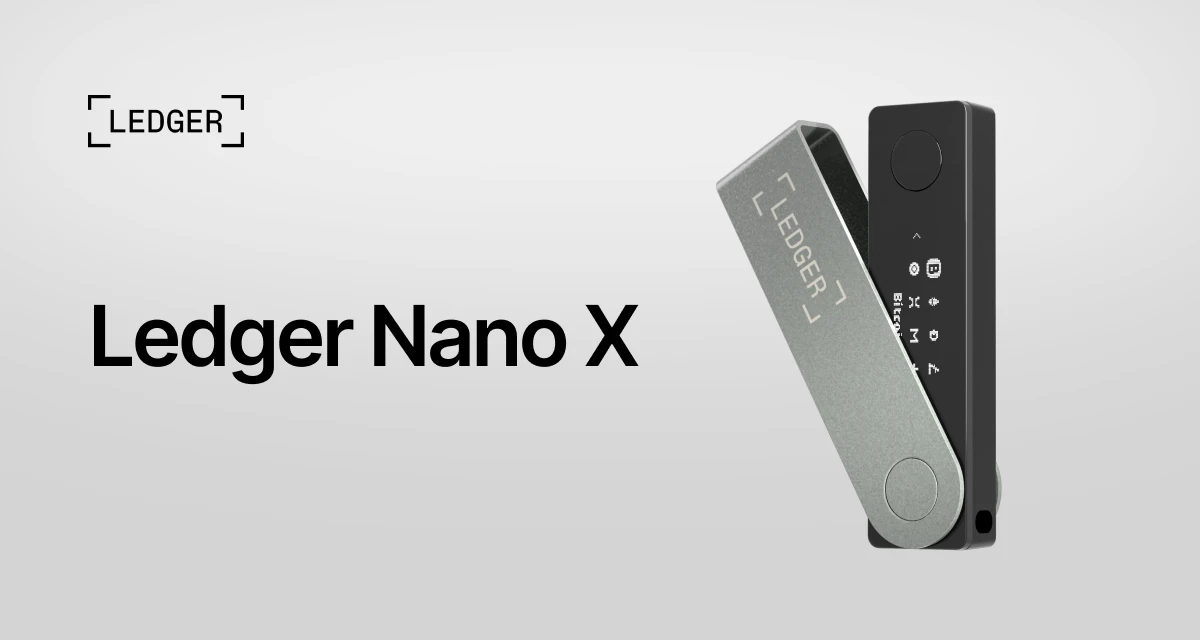
Ledger Nano X Review: What to Check Before You Buy
A practical look at the Ledger Nano X, who it suits, and the setup habits that matter more than the box.
Read the review
Crypto & Web3
Hardware Wallet vs. Software Wallet: Which Fits You?
A practical comparison of convenience, control, and the habits each type of crypto wallet asks from you.
Read the guide
Crypto & Web3
Crypto Wallet Security Tips: A Practical Checklist
Simple habits that help you protect a crypto wallet before a rushed click, fake support message, or exposed recovery phrase can cause damage.
Read the checklist